If you're on Xero and still nudging late payers by hand, you're doing a job Xero already does for you. The feature is called invoice reminders. Once it's on, it runs in the background and sends each overdue invoice a polite email on a schedule you choose.
What you'll have by the end
- Invoice reminders switched on, on a schedule that fits your payment terms
- Three reminder emails, friendly to firm, written to sound like you
- A pay-now link in every reminder, so customers can pay from their phone
- A short list of invoices you chase personally, and everything else on autopilot
Why it's worth ten minutes
Most late invoices aren't disputed. Nobody's refusing to pay; the reminder just never went out, because the person who'd send it was on a job, with a client, or simply busy. Automatic reminders close that gap. They're consistent, they don't feel personal the way a phone call can, and they go out whether or not anyone remembered.
The gap is real. Xero's own data for the June 2026 quarter has NZ businesses waiting an average of 24.1 days to be paid, with invoices settled 4.7 days after their due date.1 A few days on every invoice adds up when it's your cashflow.
Example (illustrative): a 5-person electrical firm in Hamilton. They send about 40 invoices a month. On any given Friday, eight or so are past due, and the owner spends part of the afternoon working through them: open Xero, find the contact, write an email, make two calls.
With reminders on, those eight get an email automatically at 7 and 14 days. By Friday, the list that needs a human is down to the one or two that actually have a problem.
Chasing by hand
- Reminders go out when someone remembers
- Tone depends on the day you're having
- Friday afternoons spent in the overdue list
- Customers dig out bank details to pay
Reminders on
- Every overdue invoice gets the same schedule
- Wording written once, when you were calm
- You only call the ones with a real problem
- Pay-now link in every email
The setup, step by step
These menu names were checked against Xero Central in October 2026.2 Xero moves things as it updates, so if a label isn't where you expect, search "invoice reminders" in Xero Central.
![Xero Add Reminder dialog: send if an invoice is due in 3 days, Insert placeholder menu, subject line Bill [Invoice Number] from [Trading Name] is due](/img/guides/xero-add-reminder.webp)
- 1The on switch for the whole business. Nothing sends until it's ticked.
- 2Your schedule. Xero starts you on 7, 14 and 21; we'd make the third 30.
- 3The minimum, so a few dollars short doesn't trigger a chase.
- 4Adds the link, amount and due date to every reminder. Tick it.
-
Open the reminder settings
Go to Sales > Sales settings > Invoice settings > Invoice Reminders. The shortcut: on Sales > Invoices, click where it says Invoice Reminders: Off. Tick Email customers when an invoice is to turn reminders on for the whole business. You'll need the administrator or standard user role.
1 minute -
Pick a schedule
Xero starts you with three reminders at 7, 14 and 21 days overdue, and you can have up to five. Each one is either due in or overdue by a number of days (0 means the due date itself). We'd move the third to 30 days. The table below has patterns for other terms.
2 minutes -
Set a minimum amount
Fill in Don't send reminders for amounts owing on an invoice under, so a $12 short payment doesn't trigger a chase. Pick whatever isn't worth an email to you. It applies to every reminder.
30 seconds -
Rewrite the emails
Replace Xero's default text with the three templates below, using the Insert placeholder button for the customer's name, invoice number and amount. Tick Include button to online invoice and detail summary, so every reminder carries the link, amount due and due date.
5 minutes -
Exclude the invoices you'll handle yourself
For one customer: Contacts > Customers, open the contact, then Turn off invoice reminders from the menu. For specific invoices: Sales > Invoices > Awaiting Payment, tick them, then More > Turn reminders off. More on who to exclude below.
1 minute -
Send yourself a test
Set up a contact with your own email address, raise a small invoice (above your minimum) with a due date a week ago, and mark it as sent. Reminders go out each morning between 4am and 8am, so check your inbox the next day, on your phone, because that's where most customers will read it. Then void the test invoice.
2 minutes
A schedule for NZ payment terms
Here's what the default pattern looks like from the customer's side, for an invoice on 20-day terms:
- Day 0Invoice sent, marked as sent in Xero
- Day 20Due date. Optional heads-up 3 days before
- Day 27Reminder 1, friendly
- Day 34Reminder 2, firmer
- Day 50Final reminder, then you call a week later
The right schedule follows your terms. These are starting points, all within Xero's limit of five reminders. Adjust after a month, once you see when people actually pay.
| Your terms | Before due | After due |
|---|---|---|
| 7 days (trades, one-off jobs) | None | 3, 10 and 21 days |
| 20th of the following month | 3 days before the 20th | 5, 14 and 30 days |
| 14 or 30 days (professional services) | 3 days before | 7, 14 and 30 days |
| Retainers and monthly fees | None | 5 and 14 days, then a call |
A reminder before the due date works well for good payers. Most people who pay late simply forgot. A "this is due on Friday" email a few days ahead catches them before the invoice is overdue, and it doesn't read as a chase at all.
Three reminders to copy
The mistake is making reminders sound automated and cold. Use the customer's first name, lead with the reminder rather than the consequence, and always invite a reply. Half the time a late invoice means a question, not a refusal. Swap the highlighted bits for Xero's placeholders with the Insert placeholder button.
Just a quick reminder that invoice Invoice Number for Amount Due was due on Due Date.
If it's already on its way, thanks, and please ignore this. If anything doesn't look right, just reply.
Cheers, Aroha
Reminder 1 · 7 days · friendly
Reminder 2 · 14 days · firmer
Reminder 3 · 30 days · final
If you'd be comfortable reading the reminder aloud to that customer, it's worded right.The rule of thumb we use
Disputes, part-payments and payment plans
The common worry is that a reminder will reach someone who has already paid or who's mid-conversation with you about the bill. In practice:
- Paid invoices drop off. Reminders work from the invoices still awaiting payment, so once an invoice is marked paid, the customer isn't chased.
- Unsent invoices get nothing. Reminders only go to invoices marked as sent, to contacts with an email address. The Reminders column on the Awaiting Payment tab shows "Email missing" or "Invoice not sent" when that's the problem.
- Part-payments keep going. If someone pays half, the invoice still has a balance and stays in Awaiting Payment. That's usually what you want, but read your test reminder to make sure the amount shown is the balance, not the original total.
- Payments not yet reconciled can trip you up. If the money is in the bank but not matched in Xero, a reminder can still go. Reconcile at least twice a week once reminders are on.
The Reminders column on the Awaiting Payment tab is where you see all of this at a glance. Check it once a week:
| Number | To | Due | Amount due | Reminders |
|---|---|---|---|---|
| INV-0412 | Sam Whitaker | 3 Oct | 1,380.00 | 1 sent |
| INV-0398 | Harbour Cafe Ltd | 19 Sep | 642.50 | 2 sent |
| INV-0405 | M. Tane | 26 Sep | 310.00 | AEmail missing |
| INV-0409 | Ridgeline Homes | 30 Sep | 4,975.00 | BInvoice not sent |
| INV-0377 | Pukeko Builders | 29 Aug | 2,100.00 | CTurned off |
- ANo email on the contact, so no reminder. Add one and it joins the schedule.
- BRaised but never marked as sent. Send it or mark it sent, or it's never chased.
- CSwitched off on purpose: this one's on a payment plan.
Switch reminders off for these before you turn the feature on:
- Invoices in dispute, or where you've promised a credit note
- Clients on an agreed payment plan
- Anyone going through a hard time you already know about
- Your largest client, if you'd rather they always hear from a person
Add a pay-now button
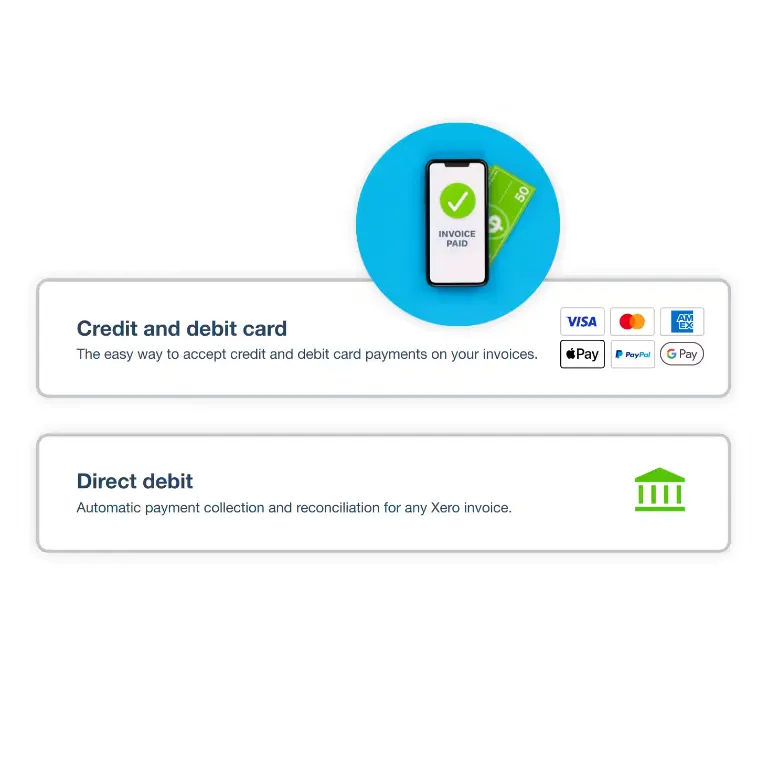
Reminders work far harder when the customer can pay from the email itself. If you connect a payment service to Xero, every invoice and reminder can carry a pay button, so the customer pays by card or bank from their phone without hunting for your account number.
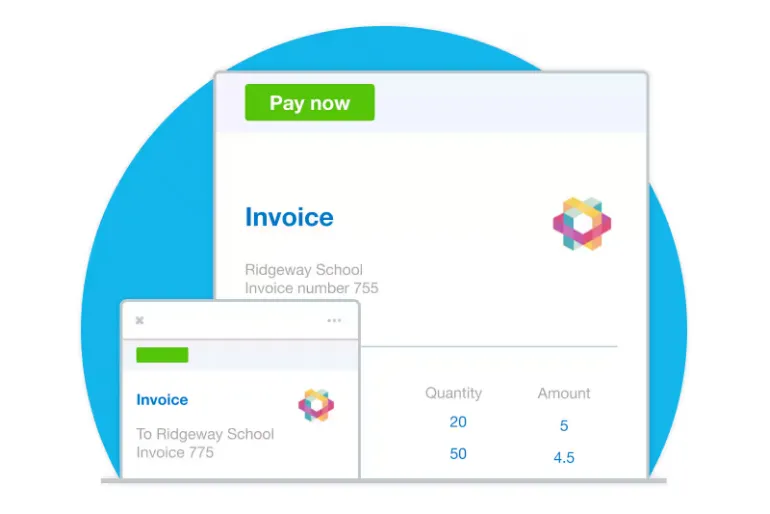
Invoice INV-0412 from Kowhai Electrical
Hi Sam,
Just a quick reminder that invoice INV-0412 for $1,380.00 was due on 3 October. If it's already on its way, thanks, and please ignore this.
If anything doesn't look right, just reply.
Cheers, Aroha
-
Connect a payment service
In NZ, Xero's payment options are Stripe (cards and digital wallets) and GoCardless (direct debit).3 Connecting is free; you pay a fee per transaction, so check current rates before you choose. Stripe adds a pay now button to your invoices.
-
Add it to your invoice branding
Attach the payment service to the branding theme your invoices use. Without this step, the button won't appear.
-
Check the link is in your reminder text
Make sure Include button to online invoice and detail summary is ticked in your reminder settings. That button opens the invoice with the pay option on it.
When the final reminder doesn't work
Reminders clear the forgetful. They won't move someone who can't pay or won't pay, and that's when a person takes over. Work down this list, and stop as soon as one works:
-
Call, don't email
A week after the final reminder, ring. Ask an open question: "Is there something wrong with the invoice, or is it timing?" Write down what they say and the date.
-
Offer a payment plan, in writing
Agree amounts and dates, confirm them by email (template below), and turn reminders off for that invoice so the schedule doesn't contradict the deal.
-
Pause further work
If your terms allow it, hold new work or supply until the account is up to date. Say so calmly, once.
-
Send a letter of demand
A formal letter with the amount, what it's for, a final date and what happens next. Many businesses get paid at this step.
-
Go to the Disputes Tribunal or a collector
The Disputes Tribunal hears claims up to $60,000, a limit raised from $30,000 on 24 January 2026.4 No lawyers, and the fee depends on the claim size. A debt collection agency is the other route; check what they charge before you sign.
Payment plan confirmation
If a reminder didn't go out
| What you see | Why | Fix |
|---|---|---|
| "Email missing" | The contact has no email address | Add one to the contact |
| "Invoice not sent" | Reminders only follow invoices marked as sent | Send it, or mark it as sent |
| "Turned off" | Reminders are off for that invoice or contact | Turn them back on if that wasn't deliberate |
| Nothing yesterday | Reminders go out between 4am and 8am. Turned on after 8am, they start the next morning | Wait a day. A missed day isn't sent later |
| Paid customer chased | The payment wasn't matched in Xero | Reconcile more often, and apologise quickly |
Your first fortnight
Set it up, then leave it alone for two weeks before you judge it. Here's what to do in that time:
- Day 1: switch reminders on, set the schedule, paste in the three templates
- Day 1: turn reminders off for disputed invoices and payment plans
- Day 1: send yourself a test reminder and read it on your phone
- Day 2: connect a payment service and add it to your branding theme
- Twice a week: reconcile the bank, so nobody who's paid gets chased
- Day 7: check the Reminders column on Awaiting Payment for "Email missing" and fix those contacts
- Day 14: look at which overdue invoices were paid after a reminder, and which still needed a call
Once it's running
After a fortnight, you'll usually find the reminders are doing most of the chasing. What's left is a short list of invoices that need a real conversation, and that's where your time should go.
From there:
- Tweak the timing. If most people pay between the first and second reminder, leave it. If almost nobody pays until the final one, bring it forward.
- Use the same idea for paperwork. Scheduled, polite, automatic follow-ups work for chasing missing records, signed quotes and timesheets, not just money. It's how a lot of practices run their year-end record requests.
- Skip the debt-collection apps for now. Add-on tools with SMS, call scripts and payment plans earn their keep when you carry a lot of overdue accounts. For most businesses, Xero's built-in reminders cover it.
Sources
- Xero, Small Business Insights, New Zealand, June 2026 quarter (published 30 July 2026)
- Xero Central, Set up invoice reminders and Turn invoice reminders on or off
- Xero, Accept online payments (NZ)
- Disputes Tribunal, Disputes Tribunal of New Zealand, and the Disputes Tribunal Amendment Act 2025
- Xero Central, Check a reminder's status and history